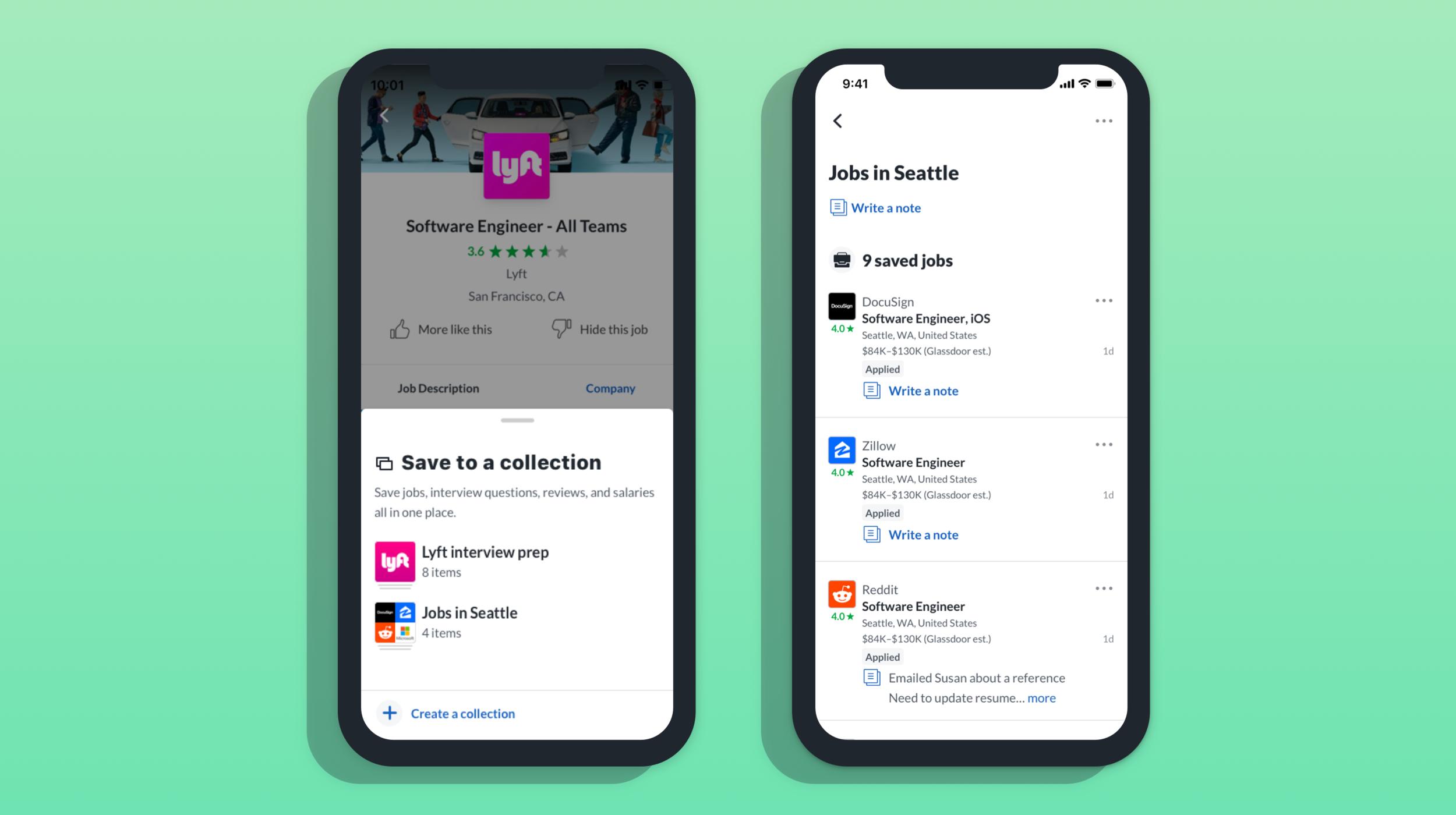
Glassdoor Collections
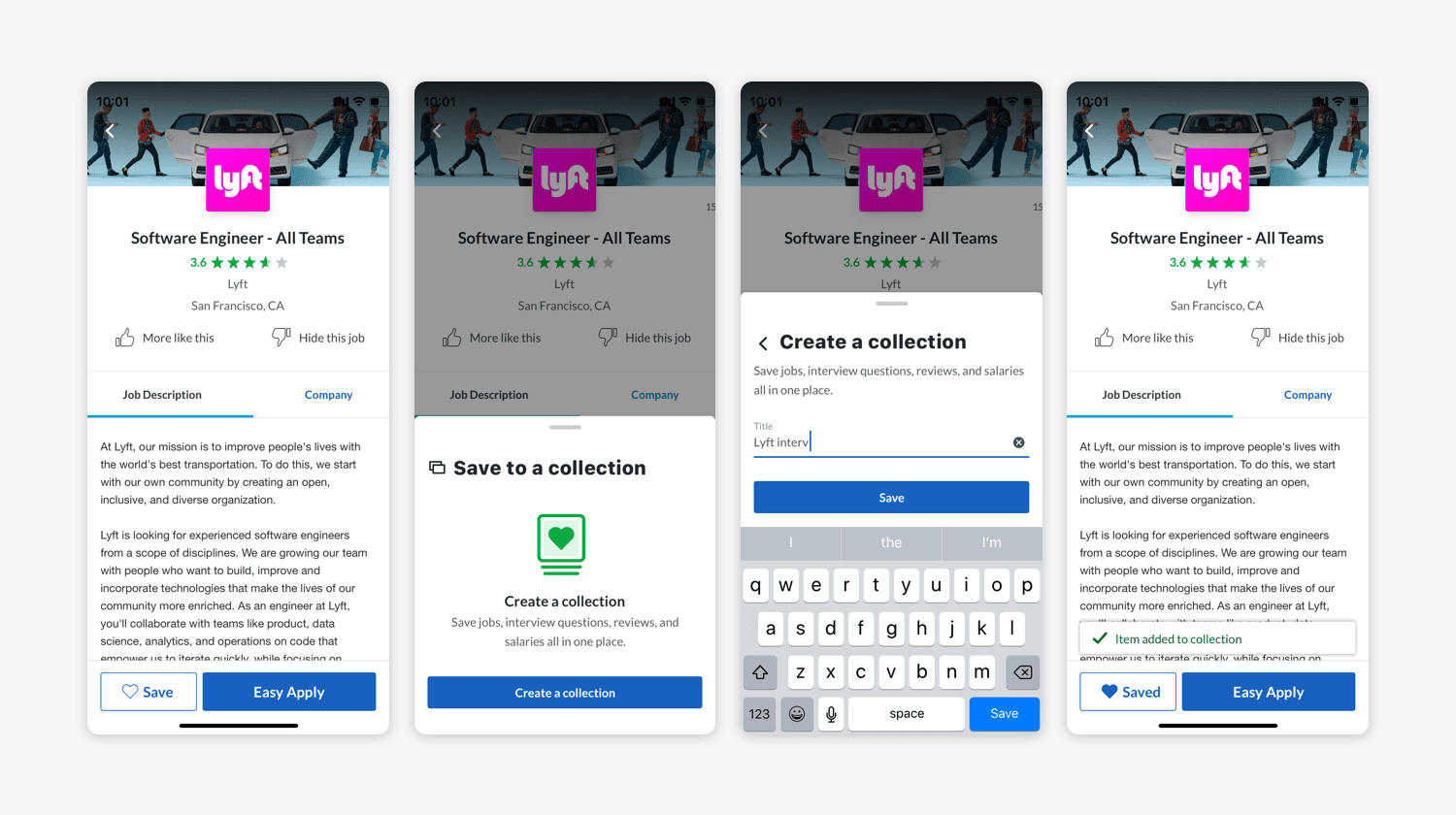
Collections is a native feature that lets job seekers collect and organize job listings, company review highlights, interview questions, and salary data to reference throughout their job search. These artifacts stay in Glassdoor instead of being spread throughout spreadsheets, notes, and screenshots.
Outcomes
9.5%
+2.7%
1.2M
The problem
Job seekers stitch together spreadsheets, email, docs, and screenshots to track roles and prep for interviews, often entirely outside of Glassdoor. In a survey, 20% of respondents said they downloaded the Glassdoor app mainly to organize their search, a job we were not yet designed to serve. The opportunity was a net-new workspace inside the app: one place to save and revisit research before applying, without asking users to adopt another tool.
Our approach
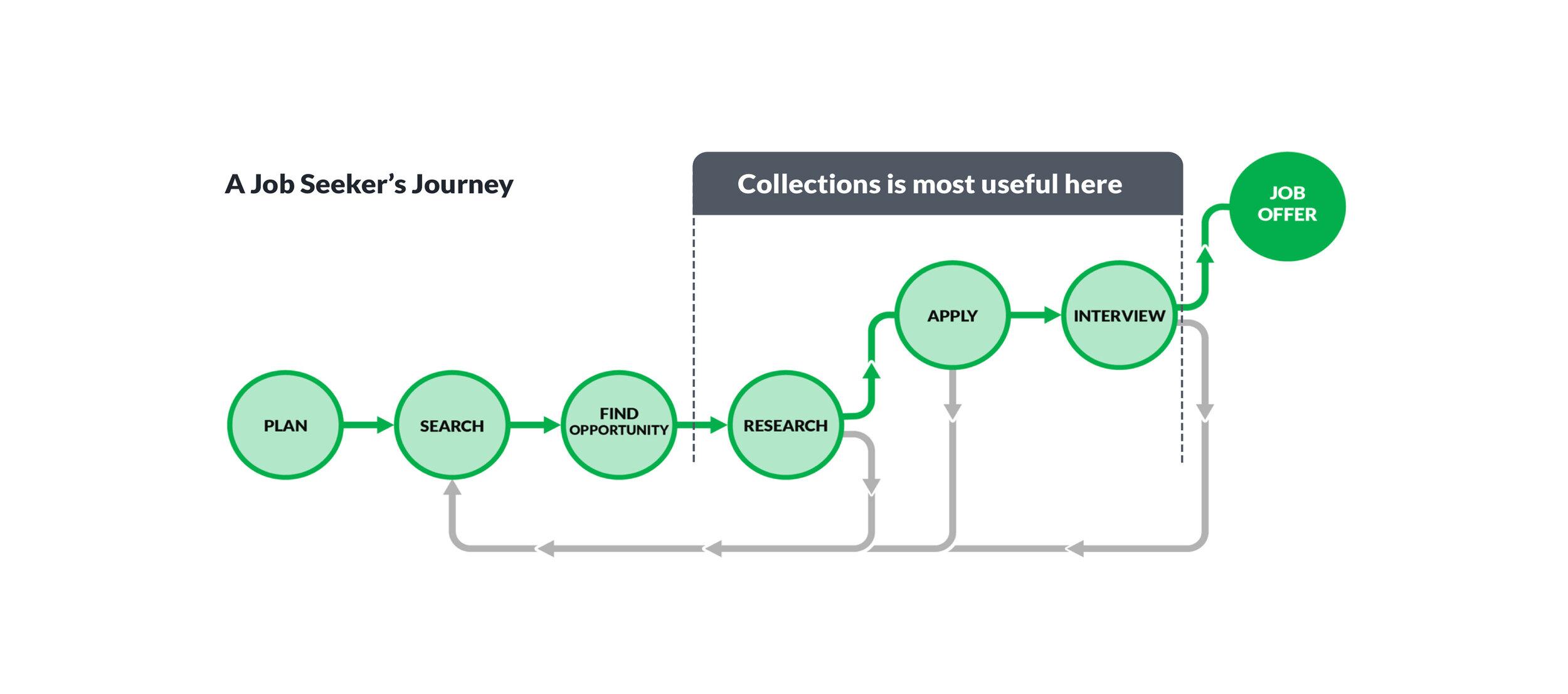
- Focus on the research phase of the journey. This is after a job is saved but before applying. It's when users are saving key information for recall later.
- Sprint. Take one week with key partners to prototype a structure, test divergent ideas, and align with engineering on a phased scope.
- Launch. Launch A/B test on iOS and Android and measure engagement. Iterate and work toward a full rollout.
Job to be done
We mapped where organization shows up across job-seeker personas and focused on the stretch between researching the role and interviewing. This is when people compare similar companies, get an idea of salaries, and learn about interview topics.
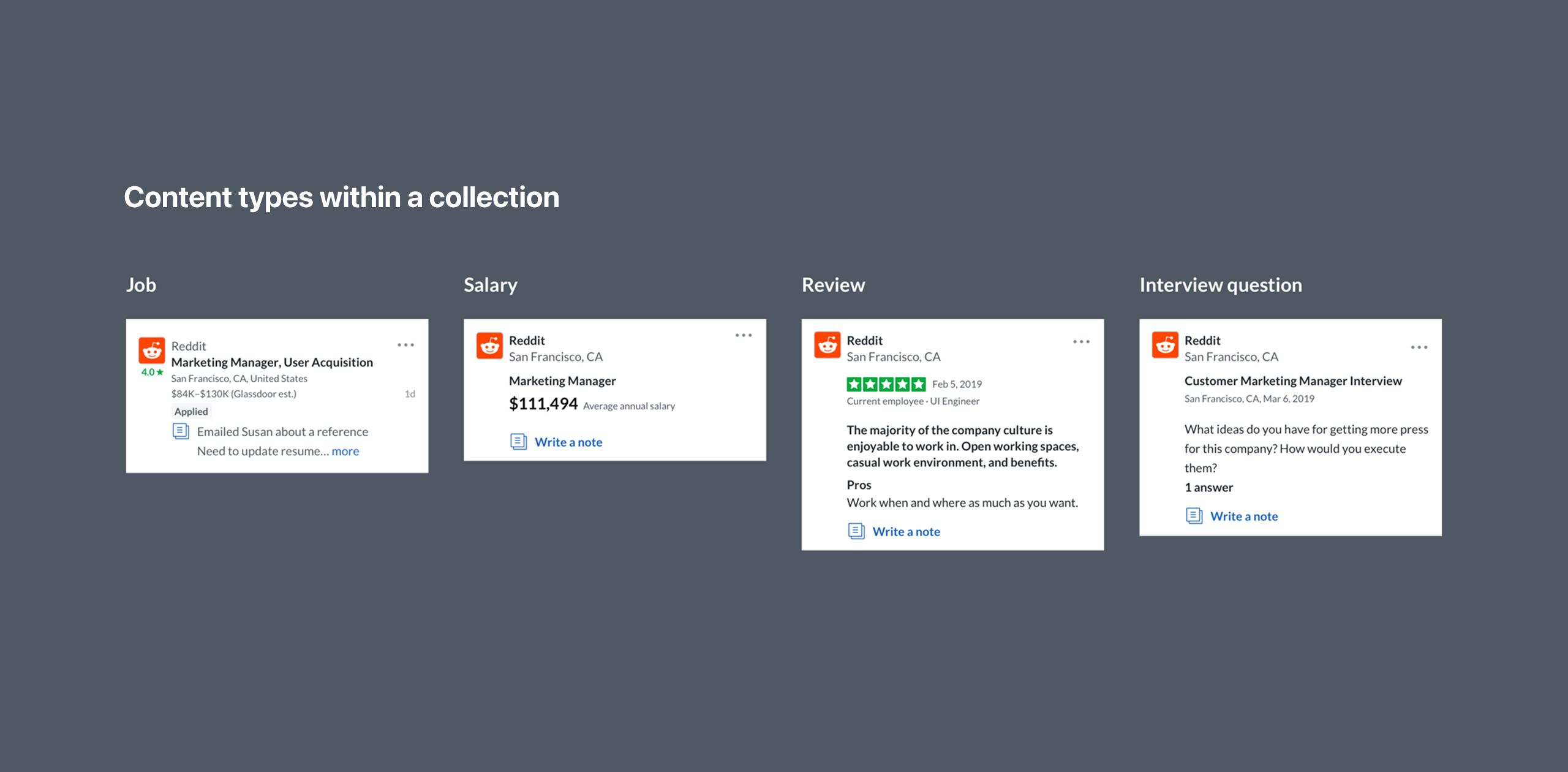
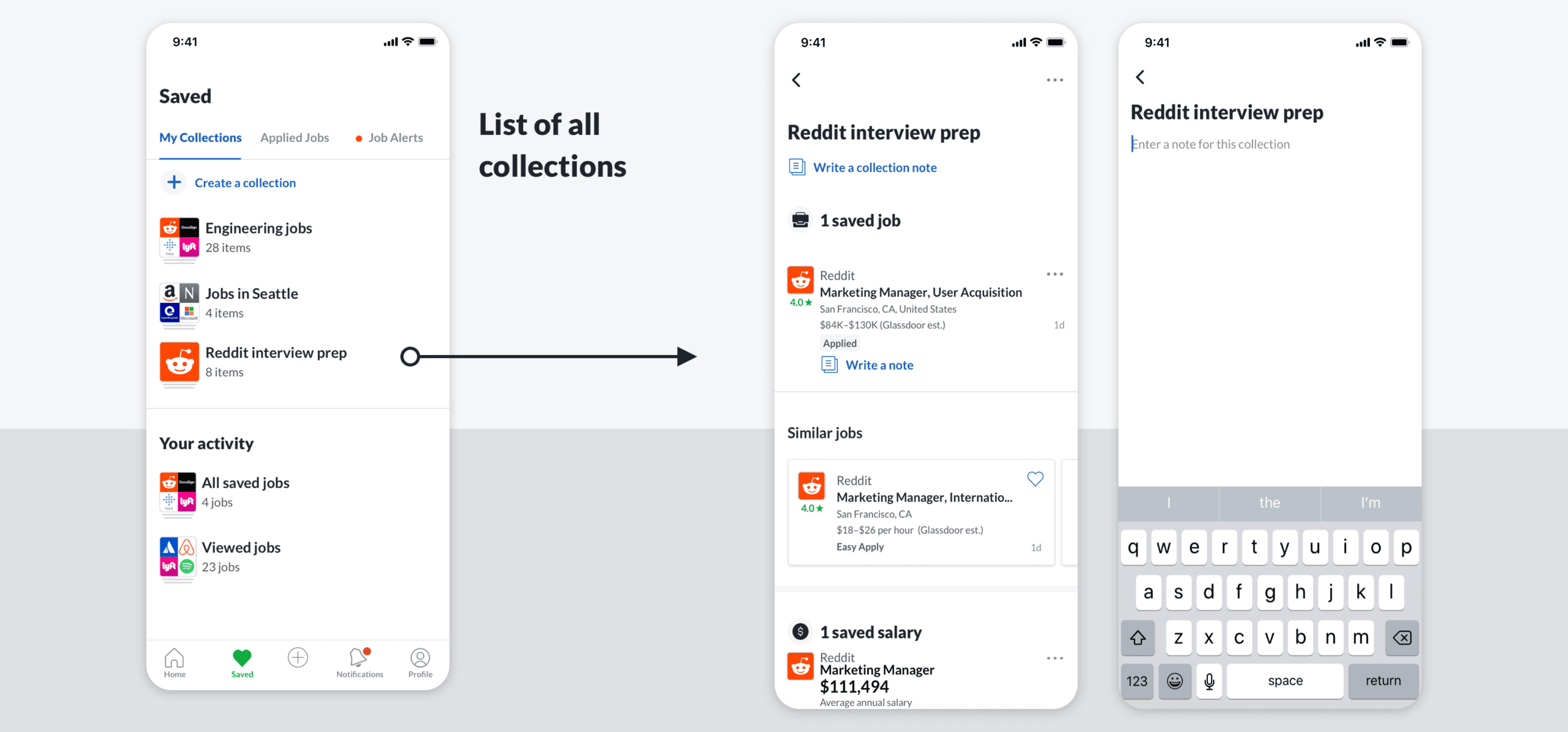
That framing justified a collection model that could hold four content types: jobs, salaries, reviews, and interview questions. We also added a notes section for any other important details.
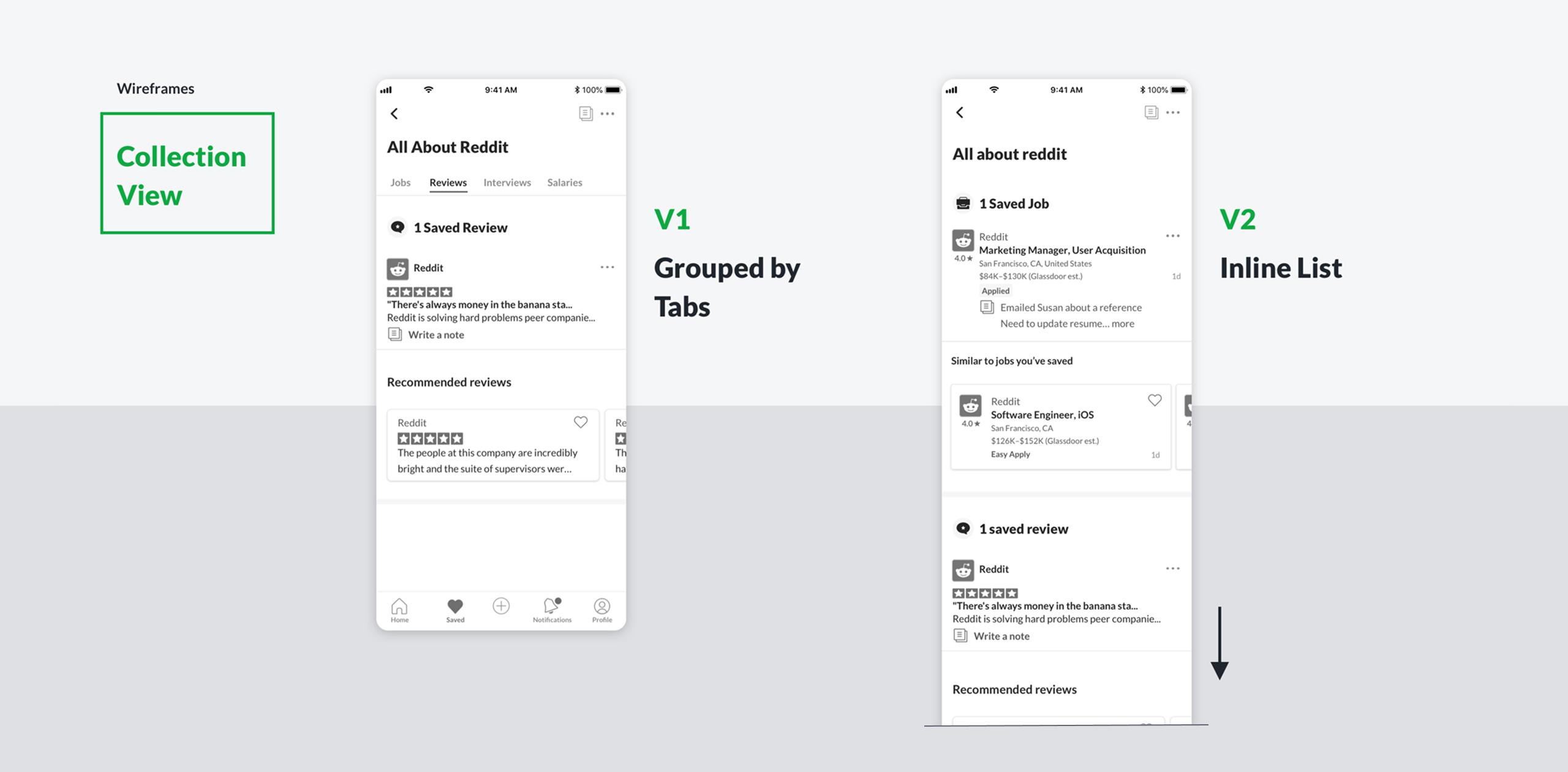
Collection View architecture
Saving jobs, salary data, reviews, and interview questions all into one collection could potentially make for quite a large artifact of content. I wanted users to have an easy way to sift through the types of content they saved in order to reference it quickly. In moderated testing we compared two collection layouts: content grouped in tabs vs. one scrollable list with section headers.
Most participants preferred the inline list, with less navigation and faster scanning, even when collections grew long.
We also validated collection- and job-level notes and tightened suggested content so recommendations matched context.
Ship and measure
We released Collections as phase one of a broader organization strategy. Application tracking was a feature deferred to a later release, to reduce eng risk. We then ramped from a 5% experiment to full native rollout.
In the first three months users created 327k collections and saved ~1.2M items (~3.6 per collection). Visits per unique user rose +2.7% on iOS and +2.1% on Android; job visits lifted on both platforms as the Saved tab became a highly visited hub.
What I owned
- Sole design lead: sprint facilitation, journey mapping, and moderated prototype testing
- End-to-end UI using the native design system for speed and engineering reuse
- Partnership with PM on phasing (Collections first, application tracking second)
- Launch support through A/B ramp, QA, and post-ship iteration on navigation
- Lead Product Designer
- Design sprint through phased launch
- Lead designer (me), 1 PM, 1 researcher, 3 iOS engineers, 3 Android engineers
- iOS · Android